Getting Started
Get up and running with NodeMatrix in under 5 minutes
Prerequisites
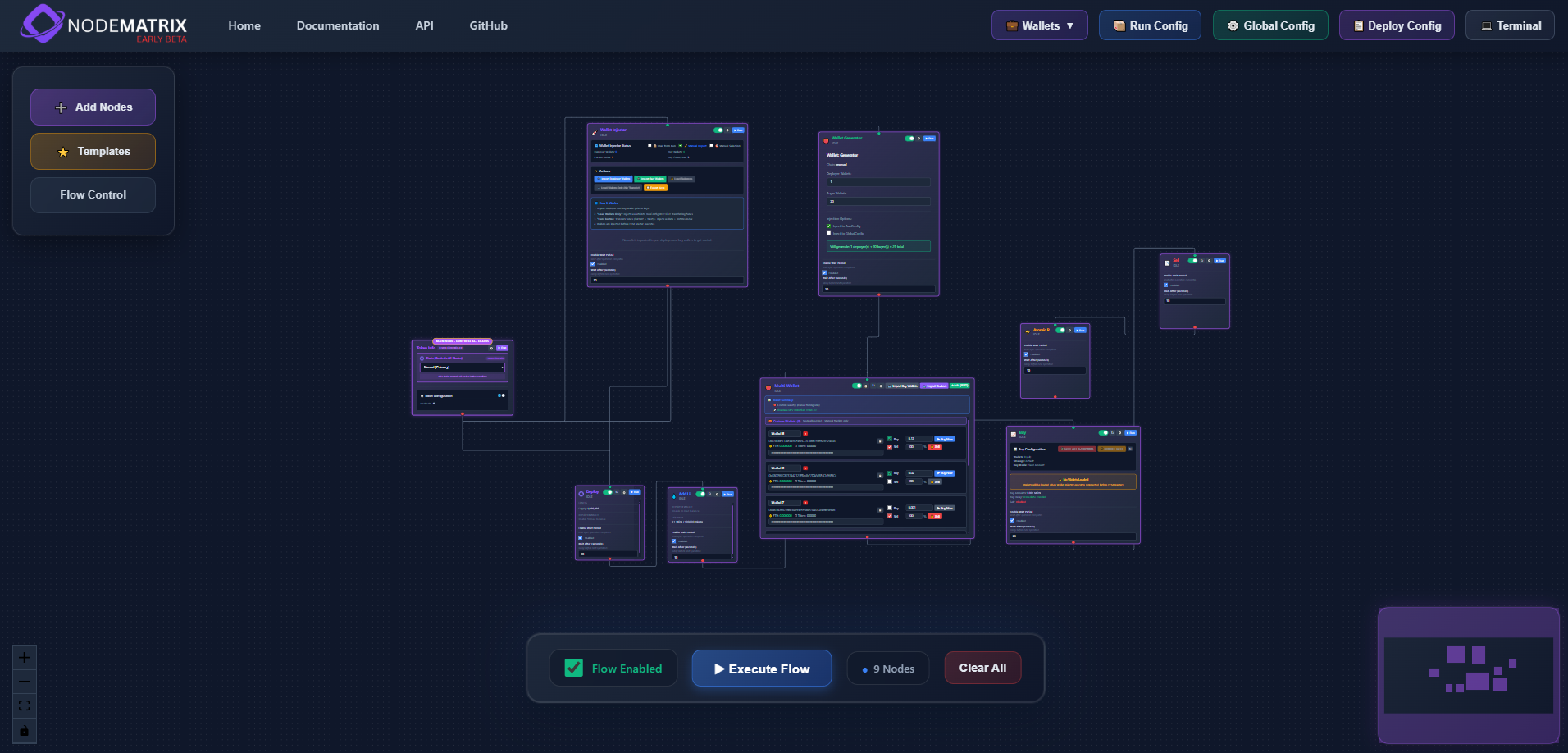
The NodeMatrix dashboard is your command center for blockchain automation. The visual editor provides a powerful drag-and-drop interface where you can build complex workflows without writing a single line of code. Each node represents a specific action or condition, and connecting them creates your automation logic.
Quick Start Guide
Connect Your Wallet
Visit app.nodematrix.one and connect your MetaMask or WalletConnect compatible wallet to your preferred EVM network.
Create Your First Workflow
Click 'Add Nodes' to open the node palette. Drag and drop nodes onto the canvas to build your automation.
Configure Node Settings
Click on any node to configure its settings. Each node type has specific parameters for your automation needs.
Connect Nodes Together
Draw connections between nodes by clicking and dragging from output ports to input ports.
Deploy Your Workflow
Once configured, click 'Deploy Config' to save your workflow to the blockchain and start automation.
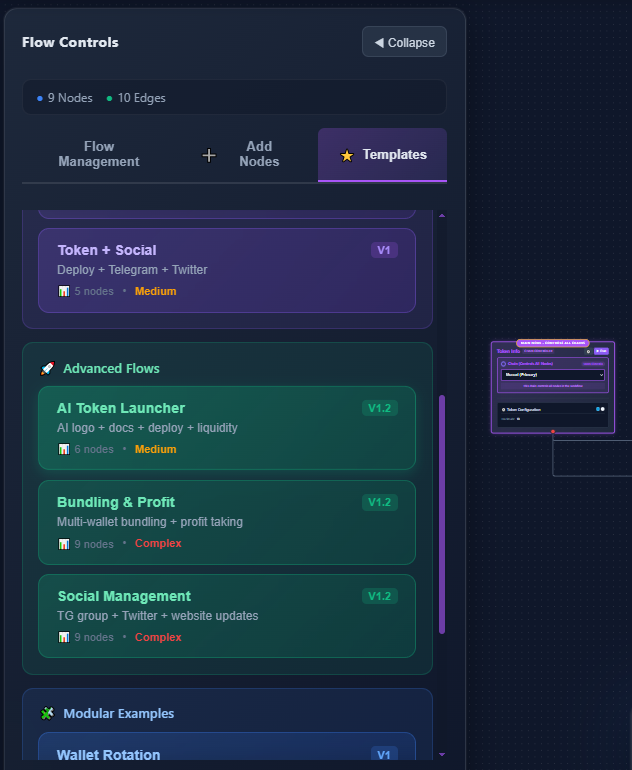
Don't want to start from scratch? Our template library includes dozens of pre-built workflows for common use cases like token sniping, portfolio rebalancing, NFT minting automation, and cross-chain bridging.
Each template is fully customizable - load one, modify the parameters to match your needs, and deploy. It's the fastest way to get productive with NodeMatrix.
Your First Workflow
Let's create a simple token swap automation. This workflow will automatically swap tokens when certain conditions are met.
AI-Powered Node Configuration
Watch how NodeMatrix AI intelligently configures data nodes based on natural language
Understanding the Workflow Structure
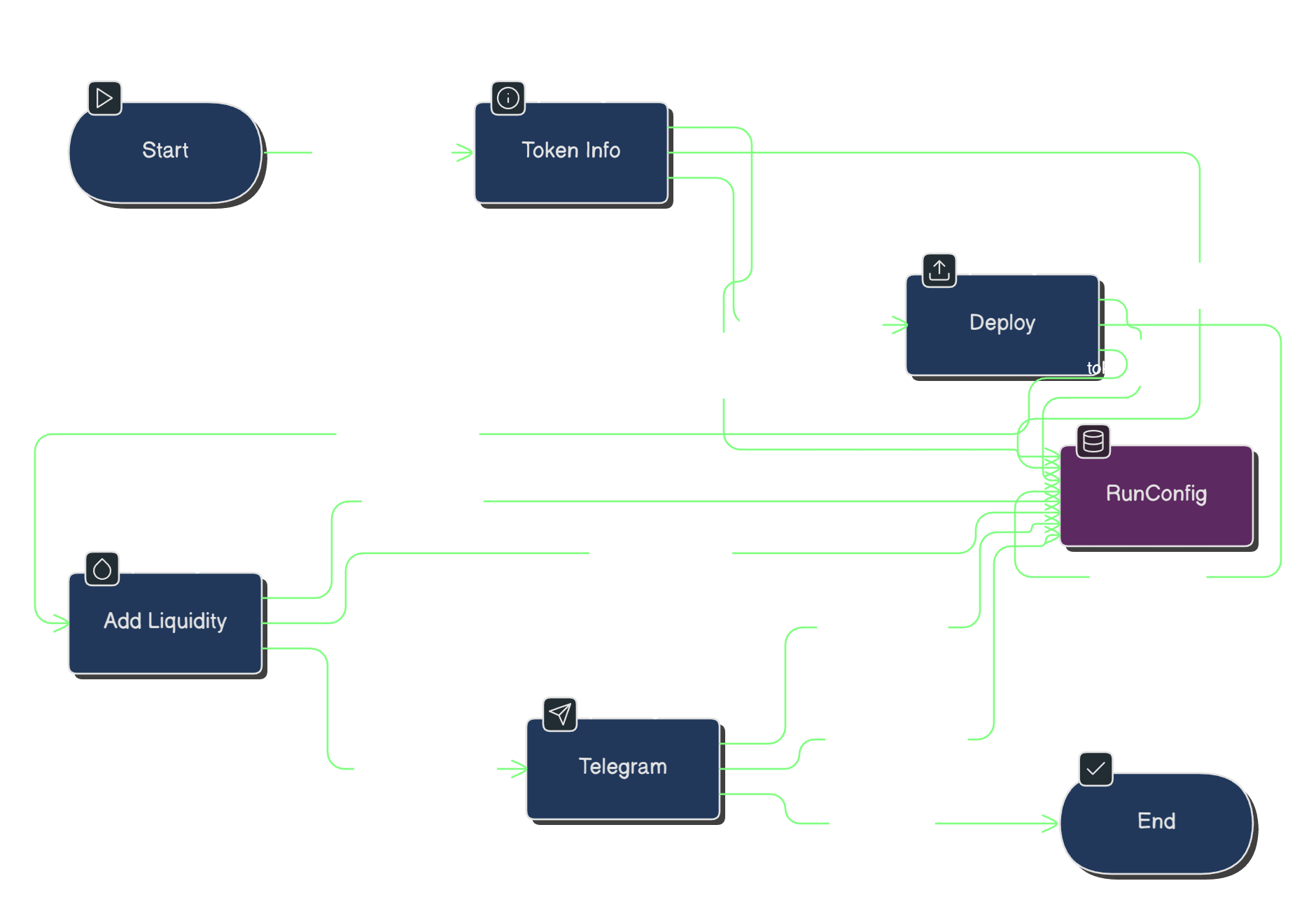
This diagram shows the basic flow of a NodeMatrix workflow. Data flows from left to right through connected nodes:
- •Start Node: Triggers the workflow based on your conditions
- •Token Info Node: Fetches current token data from the blockchain
- •Deploy Node: Executes the transaction on-chain
- •End Node: Completes the workflow and logs results
// Example: Auto-swap workflow configuration
{
  "name": "Auto Token Swap",
  "trigger": {
    "type": "price_threshold",
    "token": "MON",
    "condition": "below",
    "value": 0.50
  },
  "action": {
    "type": "swap",
    "from": "USDC",
    "to": "MON",
    "amount": "100",
    "slippage": "0.5%"
  }
}
Key Features to Explore
Multi-Wallet Support
Connect and manage multiple wallets simultaneously for complex trading strategies.
Lightning Fast Execution
Optimized RPC connections ensure your automations execute quickly across all chains.
Visual Configuration
No coding required - build complex workflows with drag-and-drop simplicity.
Battle-Tested Security
Your keys never leave your device. All operations are signed locally.
You're Ready!