
Configuration
Configure NodeMatrix for your specific needs
Global Settings
Access global configuration by clicking the "Global Config" button in the top navigation bar.
| Setting | Description | Default |
|---|---|---|
| Gas Price Strategy | Auto, Fast, or Custom gas pricing | Auto |
| Slippage Tolerance | Default slippage for swaps | 0.5% |
| Transaction Deadline | Max time for transaction execution | 5 minutes |
| Auto-Retry | Retry failed transactions automatically | Enabled |
| Notification Level | Which events trigger notifications | All |
Wallet Configuration
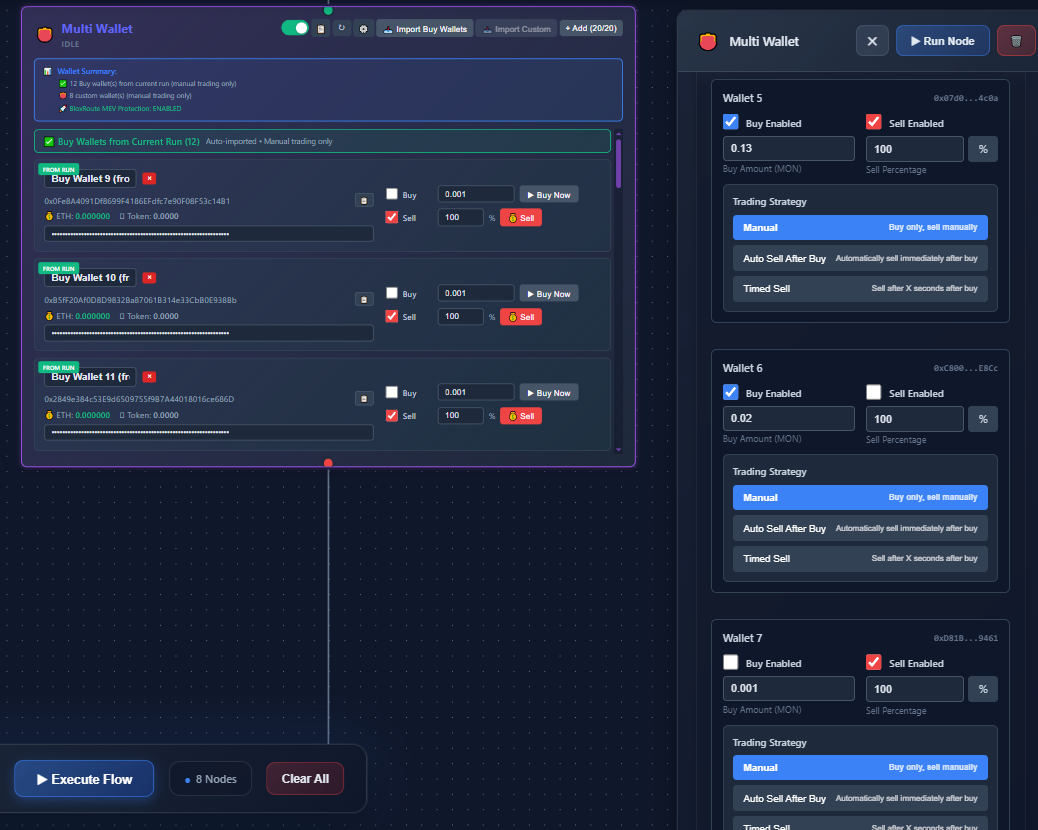
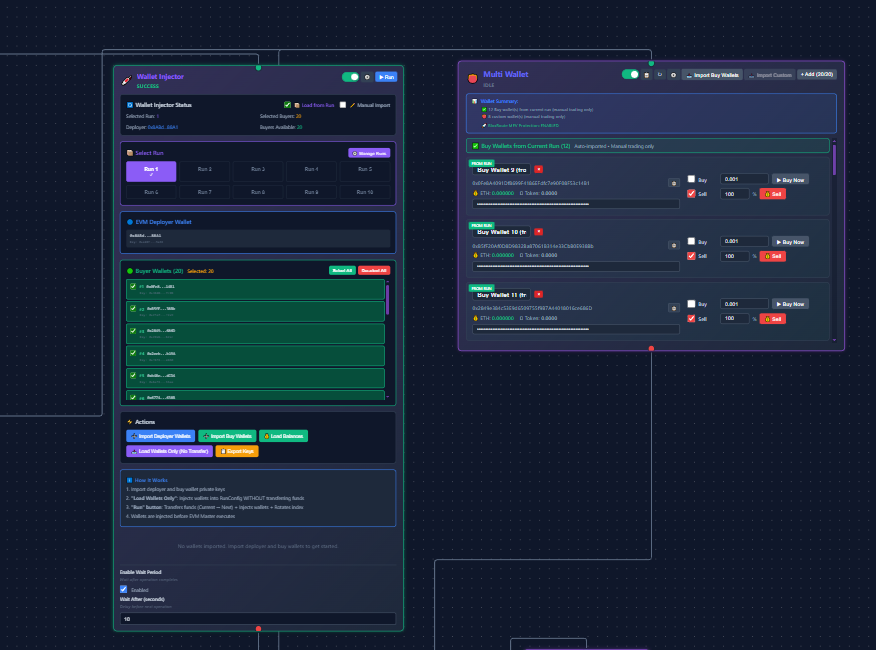
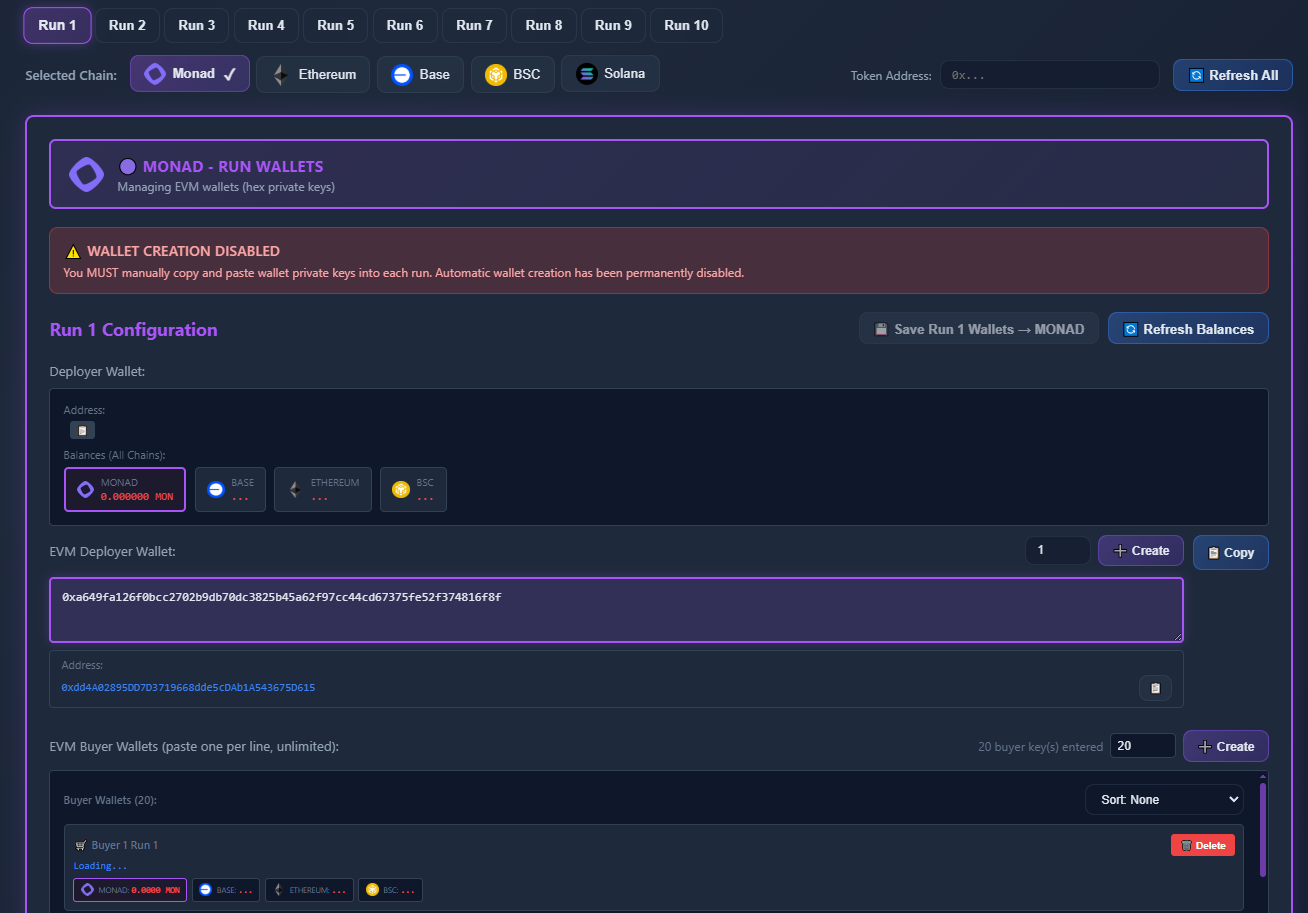
Manage multiple wallets for different workflow purposes.
Security Note
NodeMatrix never stores your private keys. All signing happens locally in your wallet extension. You can connect multiple wallets and assign them to different workflows.
// Wallet configuration example
{
  "wallets": [
    {
      "name": "Trading Wallet",
      "address": "0x1234...5678",
      "permissions": ["swap", "transfer"],
      "dailyLimit": "1000 USDC"
    },
    {
      "name": "Treasury",
      "address": "0xabcd...efgh",
      "permissions": ["stake"],
      "dailyLimit": "unlimited"
    }
  ]
}
Node-Level Configuration
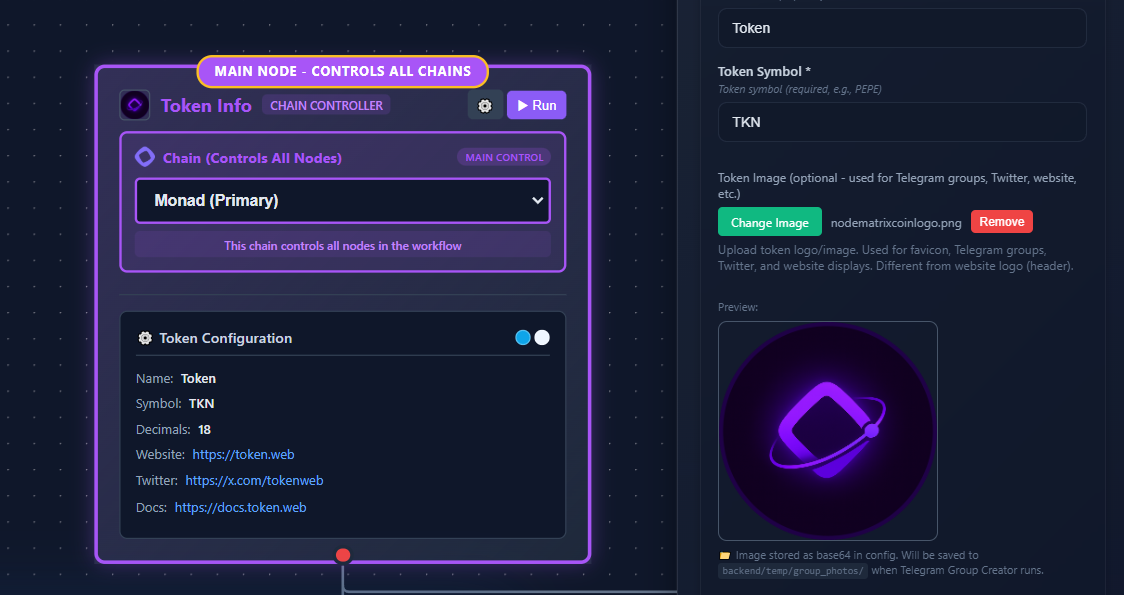
Each node has its own configuration panel accessible by clicking on the node.
Basic Settings
Name, description, and enabled/disabled status.
Execution Settings
Retry logic, timeout, and error handling.
Security Settings
Spending limits, allowed addresses, and restrictions.
Notification Settings
Alerts for success, failure, and custom conditions.
Environment Variables
Store sensitive data like API keys securely using environment variables.
# Environment Variables (stored encrypted)
TWITTER_API_KEY=your_twitter_api_key
TELEGRAM_BOT_TOKEN=your_telegram_bot_token
CUSTOM_RPC_URL=https://your-custom-rpc.com
WEBHOOK_SECRET=your_webhook_secret
Accessing Variables
Use double curly braces to reference environment variables in node configurations: {{env.TWITTER_API_KEY}}